
Inside the new Intel‑powered Surface portfolio: A deep dive
SURFACE IT PRO BLOG
16 MIN READ
Inside the new Intel‑powered Surface portfolio: A deep dive


MICROSOFT
May 19, 2026


Today’s work happens across locations, roles, and environments. Employees need to shift among focus, collaboration, and communication, often on the move. AI adds new opportunities to support new workflows, while modern threats raise the bar for security. Microsoft builds Surface devices to meet these complex conditions, engineering and validating hardware, firmware, and Windows as one.
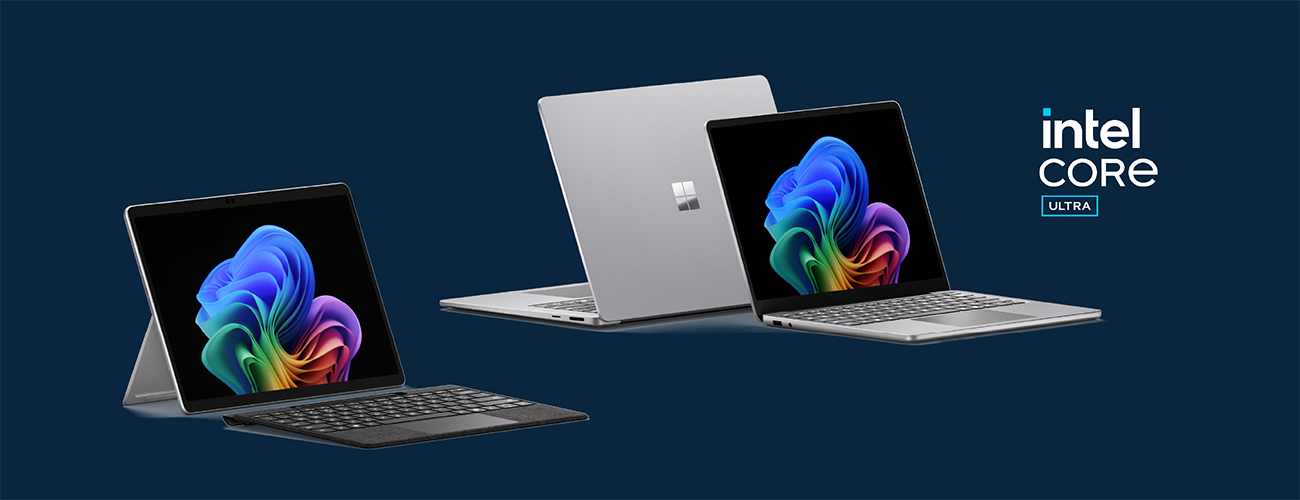
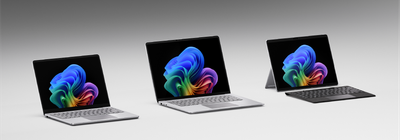
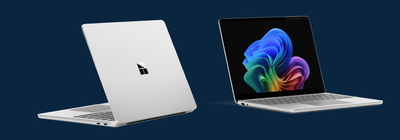
Building on these principles and our longstanding collaboration with Intel, we’re excited to announce the new Surface devices powered by Intel® Core™ Ultra Series 3: Surface Pro for Business, 13-inch, Surface Laptop for Business, 13.8 and 15-inch, and Surface Laptop for Business, 13-inch. With these devices, Surface expands its business portfolio with x86 devices serving distinct needs, built on the Surface commitment to user-centric experiences, sustained performance, and a layered Zero Trust approach to security. For a broader overview of what’s new across Surface for Business and how the latest devices help organizations navigate modern work with AI, see Nancie Gaskill’s announcement blog.
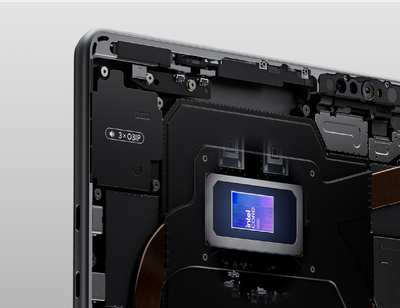
Intel® Core™ Ultra Series 3 brings a system-level approach to performance across CPU, GPU, and NPU—designed for responsive performance under sustained workloads. We dive into the performance characteristics of this new silicon below.
Surface Pro, 13-inch
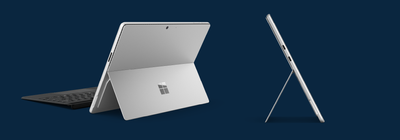
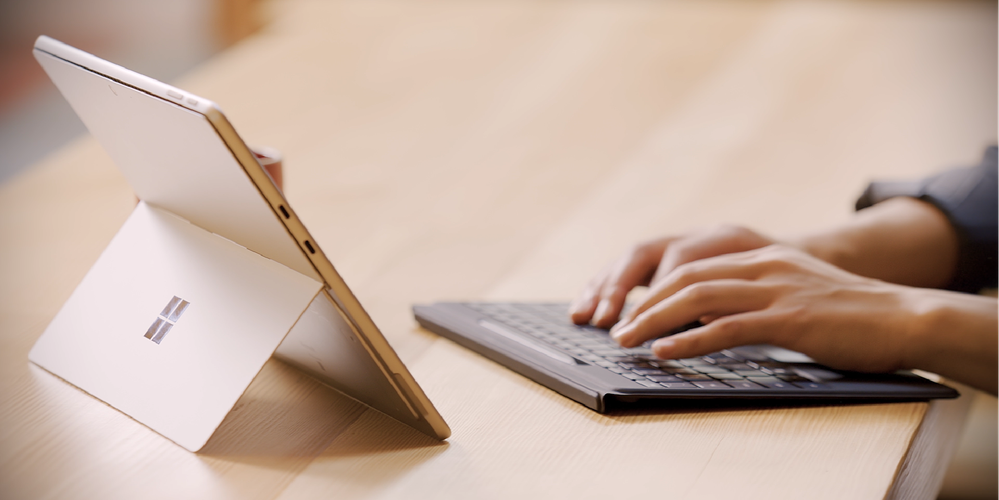
Surface Pro for Business brings the flexibility of a tablet together with the power of a full Windows PC. Its 2-in-1 design with an adjustable kickstand and detachable keyboard (sold separately) lets mobile professionals move fluidly between tablet, laptop, and presentation modes. Optional 5G connectivity enables work to continue even when out of Wi-Fi range.[1]
Surface Laptop, 13.8-inch and 15-inch
Surface Laptop for Business is a premium laptop for knowledge workers and power users who want impressive performance and refined design. Available in 13.8-inch and 15-inch sizes, it delivers Intel® Core™ Ultra Series 3 performance in a focused, polished Surface laptop design built for sustained focus.
The PixelSense™ Flow touchscreen is designed for fluid interaction, with a dynamic refresh rate from 24 to 120 Hz, adaptive color, and adaptive contrast to improve readability in bright environments. Anti-reflective technology is designed to minimize unwanted reflections and has been certified by TÜV SÜD to meet the requirements of ISO 9241-307.
Across the Surface Laptop 13.8 and 15-inch line, the display system is engineered to balance visual quality, responsiveness, and efficiency. On 15-inch Surface Laptop, a higher-resolution panel increases pixel density to 262 PPI for sharper text and visuals, with up to 600 nits (typical) in SDR and up to 600 nits peak luminance in HDR.
The displays on Surface Laptop 13.8 and 15-inch also use an oxide backplane designed to improve flicker margins and stability across refresh rates. Paired with a dynamic refresh range, this supports steadier behavior as refresh changes, improved efficiency when the panel runs at lower refresh, and smoother interaction when it scales up to higher refresh rates. A high-efficiency backlight with prismatic film is designed to help maintain brightness and power efficiency alongside the higher-resolution panel. Support for a wide color gamut (DCI-P3 100%) offers accurate color reproduction.
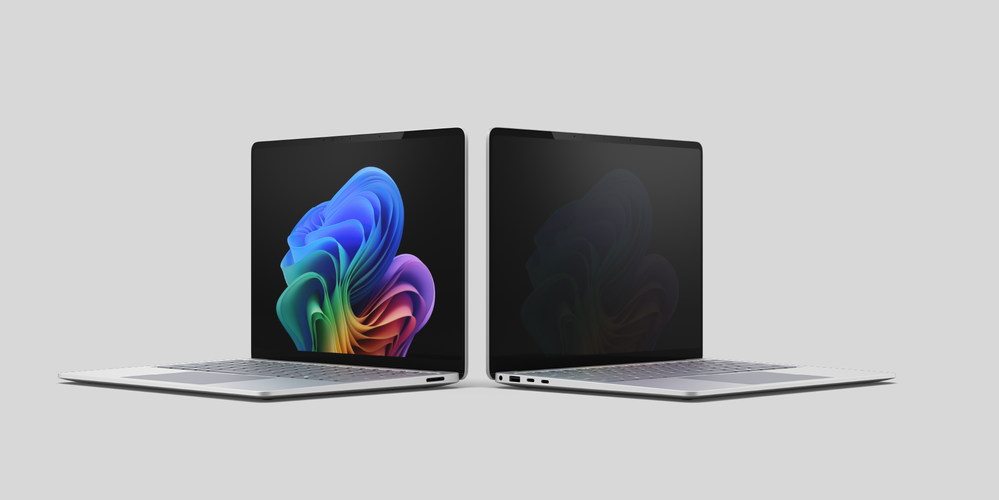
On select commercial 13.8-inch models, Surface Laptop is also available with an optional integrated privacy screen with anti-glare coating, designed to reduce viewing angles with one click for work in shared, mobile, and privacy-sensitive environments. We’ll go into the technical details on the privacy screen later in the post.
Surface Laptop, 13-inch
Completing the portfolio of Intel-powered Surface devices, Surface Laptop for Business, 13-inch[2]features a balance of productivity features in a 13-inch form factor, among the most portable Surface laptop designs available and designed to support broad deployment across a range of use cases. Together, these options provide flexibility without fragmentation, making it easier to support different workstyles while maintaining a cohesive device strategy.
The first Surface devices with Intel Core Ultra Series 3
The Intel® Core™ Ultra Series 3 system-on-chip platform reflects a shift toward a system-level approach to performance—designed to help provide responsive performance under sustained workloads within consistent power and thermal conditions that IT can plan for and manage. More than 90% faster performance than Laptop 5[3] and up to 2x faster performance than Surface Pro 9[4] highlight the generational gains across the portfolio.
Rather than treating the CPU, GPU, and NPU as isolated components, workloads can be directed to the engine best suited to manage them efficiently, helping balance performance and power consumption. For sustained, real-world productivity—meetings, browser-heavy multitasking, local AI inference, and security features like virtualized based security—this design is intended to help maintain consistency over time instead of optimizing only for short bursts. For graphics-intensive workflows, Surface Laptop with Intel® Core™ Ultra X7 processor has up to 35% more graphics performance than MacBook Air with M5.[5]
Mobile productivity is also a key focus with up to 60% faster unplugged performance than Surface Laptop 7th Edition with Intel[6] and up to 2x faster unplugged performance than Surface Pro 11th Edition with Intel[7].
Built on a shared Intel® silicon architecture across Surface Pro and Laptop for Business, the platform is designed to support everyday work scenarios such as meetings, multitasking, content creation, and select AI-enabled workflows while helping reduce noticeable tradeoffs in performance or battery life.
Device
Battery Life
Surface Pro for Business, 13-inch
Up to 17 hours or up to 2X more than Surface Pro 9[8]
Surface Laptop for Business, 13.8 and 15-inch
Up to 23 hours or up to 2x more than Surface Laptop 5[8]
Surface Laptop for Business, 13-inch
Up to 22 or up to 2x more than Surface Laptop 5[8]
For IT, these additions to the Surface portfolio provide a consistent x86 foundation across devices, with predictable power and performance behavior to support standardized deployment.
Designed for brilliance
With this Intel-powered Surface generation, we focused on interaction and mobility fundamentals that help people stay productive wherever work happens. Check out this video for a look at our engineering team’s passion and dedication to human centered-design:
https://cdn.embedly.com/widgets/media.html?src=https%3A%2F%2Fwww.youtube.com%2Fembed%2FONW6_ac5D9A%3Ffeature%3Doembed&display_name=YouTube&url=https%3A%2F%2Fwww.youtube.com%2Fwatch%3Fv%3DONW6_ac5D9A&image=https%3A%2F%2Fi.ytimg.com%2Fvi%2FONW6_ac5D9A%2Fhqdefault.jpg&type=text%2Fhtml&schema=youtube
Precision you can feel
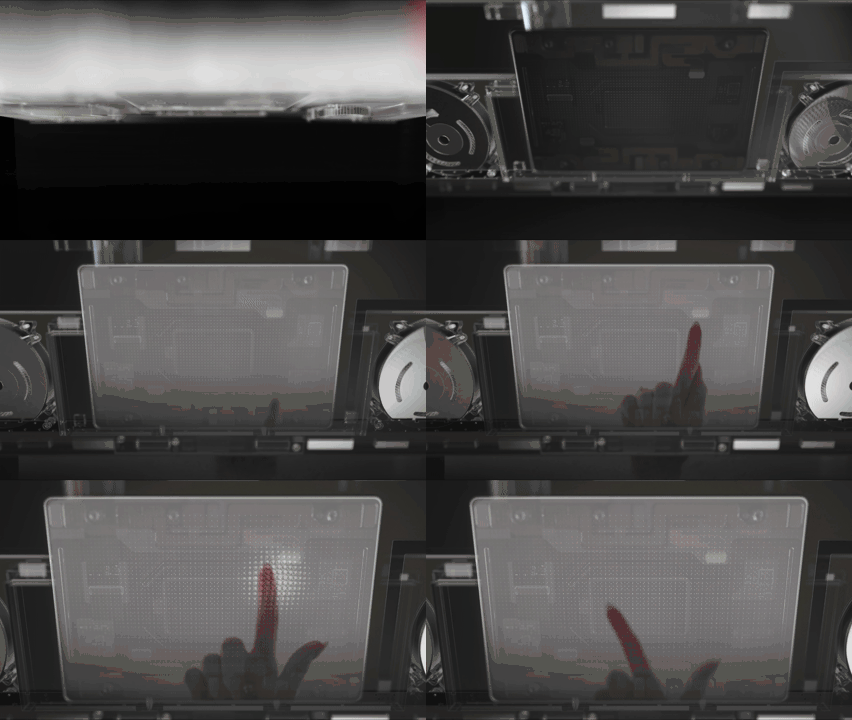
With this generation, haptic touchpads move beyond replicating clicks to deliver nuanced tactile cues across everyday interactions. Haptics on these new Surface devices are engineered and validated across hardware, firmware, and Windows to deliver a coordinated experience. Tactile feedback is designed to arrive with low perceived delay (targeting feedback under ~50 ms) so it feels connected to the action and becomes learnable and trustworthy over time. And now Windows is evolving Advanced Haptics as a system-level interaction language, shaped by insights from the Surface team, that can scale beyond Surface.
Haptics are reserved for user actions, designed to reinforce clear cause and effect without adding visual or cognitive noise. Employees can adjust haptic feedback strength or turn it off through Windows settings.
Examples of haptic patterns used to support precision and confidence include:
- A subtle cue when your pointer nears the Close button—so you don’t accidentally close an important window
- A crisp alignment cue when objects snap to guides or canvas edges in drag, scale, or rotate interactions
- Detents indicating discrete steps of the slider range.
This reflects a broader focus on human-factors testing and inclusive design, using touch as a communication layer that reinforces what is happening on screen.
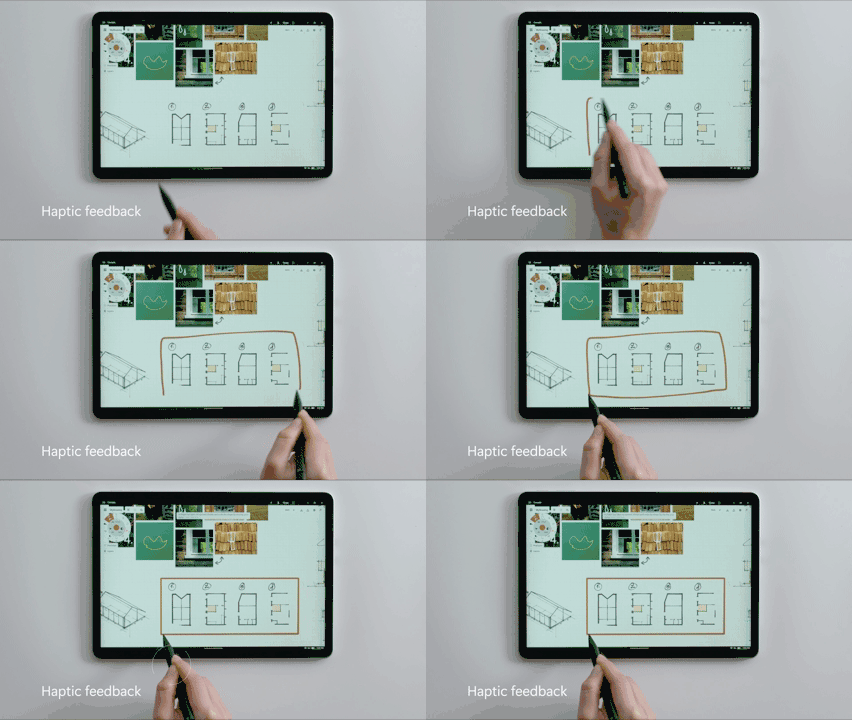
Haptics also extend to pen input. Surface Slim Pen 2 includes a haptic motor in the pen to make inking feel more natural, with distinct tactile signals that can confirm supported actions (for example, crossing out to delete or lassoing objects in Windows and supported apps) and help people annotate, review, and brainstorm with more confidence.
Third-party apps are already taking advantage of advanced haptics
In third-party creative apps such as Concepts, Windows advanced haptics can reinforce precision tasks such as grid snapping, object rotation, shape recognition, and slider limits with consistent tactile cues—so alignment and boundaries can be felt quickly without extra on-screen prompts.
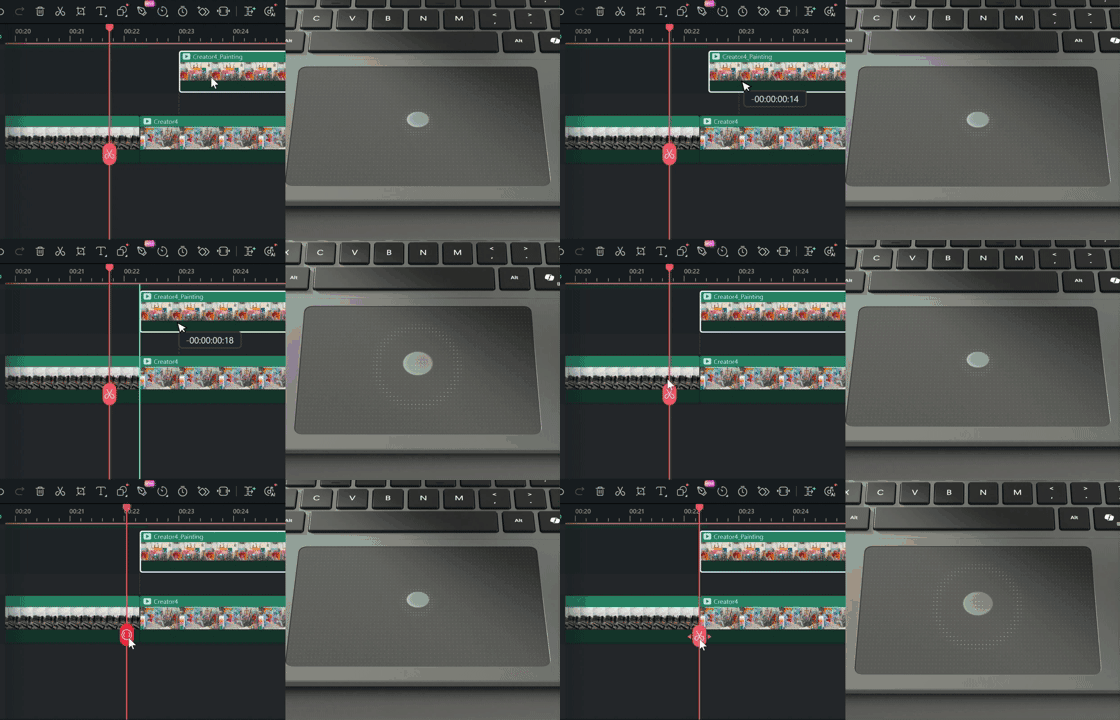
In third-party video editing apps like Wondershare Filmora, Windows advanced haptics can provide subtle confirmation for actions such as timeline snapping, image alignment, and property control adjustments helping reduce missed targets during repeatable edits.
Connectivity options for work on the move
Modern work assumes connectivity, and Surface designs accordingly. For Surface Pro, the optional 5G configuration supports productivity and responsiveness in real-world mobile settings while aligning with enterprise expectations for security, performance, and manageability.
Across the portfolio, the new Surface devices include Wi-Fi® 7 and Bluetooth® Core 5.4 with Bluetooth® Low Energy, while select configurations also offer support for 5G for highly mobile roles and work across locations.
For 5G configurations, Surface treats connectivity as a system design area shaped by how people actually use their devices. Engineering work includes extensive electromagnetic simulations to optimize antenna performance, with careful studies to place them in optimal locations that ensure robust connectivity across usage scenarios. Validation extends beyond the lab to furnished homes, active office environments, and field testing with over 100 mobile operators across more than 50 countries.[9]
Engineered for security
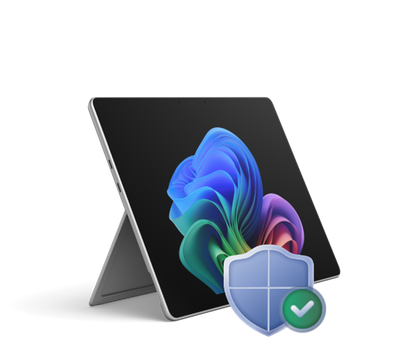
Surface provides multilayered protection across hardware, firmware, and OS, built and validated by Microsoft. All Surface devices are Secured-core PCs, which helps organizations start from a consistent, security-forward baseline, with key Windows protections enabled by default. Here’s a quick overview of the Surface for Business approach to securing endpoints:
https://cdn.embedly.com/widgets/media.html?src=https%3A%2F%2Fwww.youtube.com%2Fembed%2F3XAuO82ZxnE%3Ffeature%3Doembed&display_name=YouTube&url=https%3A%2F%2Fwww.youtube.com%2Fwatch%3Fv%3D3XAuO82ZxnE&image=https%3A%2F%2Fi.ytimg.com%2Fvi%2F3XAuO82ZxnE%2Fhqdefault.jpg&type=text%2Fhtml&schema=youtube
Protected from the first boot
The security foundation of Surface begins at the hardware level. Surface devices establish a hardware root of trust anchored by an Intel integrated TPM, supporting features such as Dynamic Root of Trust Measurement (DRTM) for System Guard Secure Launch, Secure Boot, runtime integrity, and hardware-based isolation. Together, these capabilities support defense in depth and help protect sensitive workloads.
Windows System Guard extends that protection by helping validate system integrity during startup and after Windows is running. At startup, System Guard Secure Launch uses DRTM to transition the CPU into a hardware-controlled trusted state and measure critical components before higher-level protections such as virtualization-based security rely on them. After boot, those measurements can support local and remote attestation, helping organizations confirm that the device started in a known-good state as part of a broader Zero Trust model.
Hardening the layers beneath the OS
Through the Open Device Partnership, previously discussed in this blog and SFI report, Microsoft and ecosystem partners are contributing to modern, security-first approaches to system software, including work that emphasizes memory-safe implementations of critical components.
That work includes Secure Embedded Controller, or Secure EC. The embedded controller is a low-power microcontroller responsible for functions such as power sequencing, battery charging, thermal policy, and peripheral coordination. ODP work includes a modern approach to embedded controller firmware designed around clearer modular boundaries and secure boot concepts for the microcontroller itself.
Surface has been using its own custom Unified Extensible Firmware Interface (UEFI), built on Project Mu, Microsoft’s open source UEFI firmware framework. The new Intel devices also include Patina, a UEFI-compatible firmware approach written in Rust. Patina includes a Rust-based implementation of the UEFI DXE core, the core execution environment within UEFI, and is designed to support a measured boot flow rooted in hardware trust while improving the ability to reason about and validate core boot behavior. Surface has also invested in Rust-based Windows drivers and has contributed supporting tooling and infrastructure to the open development ecosystem to encourage transparency and collaboration.
For IT, these investments help reduce risk in areas that are difficult to monitor at runtime: firmware and drivers. Memory-safe implementations can reduce exposure to certain memory safety issues, and clearer component boundaries can reduce firmware and driver attack surface while making updates easier to validate and roll out.
Because Microsoft builds and services the Surface stack end to end, firmware and drivers can be delivered and maintained as part of coordinated device servicing alongside Windows—supporting clear lifecycle planning and consistent remediation through Windows Update over time.
Visual privacy built into the display
Camera systems, sensors, and physical protections are also integrated as part of the overall device design, supporting privacy in ways that fit naturally into how people work. On select 13.8-inch Surface Laptop devices, an optional integrated privacy screen is engineered as part of the display system eliminating the need for users to carry and attach a separate privacy screen. With one click, it helps reduce viewing angles for work in shared, mobile, and privacy-sensitive environments.
Our attention to detail extends to the design of the integrated privacy screen. Maintaining device dimensions and product visual identity were two key priorities for the Surface engineering team, achieved by integrating a glass-based privacy screen into the existing enclosure without increasing thickness. When enabled, the display is designed to reduce visibility from side angles while maintaining a clear, readable view for the person in front of the screen. Rather than simply reducing brightness, a luminance control algorithm makes the display appear significantly dimmer from off-axis viewing angles. The algorithm continuously balances readability and off-axis privacy by considering the on-axis luminance target (nits), ambient light level (lux), and the display’s contrast characteristics to determine an appropriate ambient contrast ratio. It is designed to operate alongside core Windows display technologies such as automatic brightness and HDR.

1 Comment
Anna Roberts
Đọc xong thấy rất bổ ích. Letco chuyên du học Hàn Quốc, tư vấn 1-1 theo năng lực và ngân sách từng bạn. Ghé thăm letco.vn để được hỗ trợ.